
Shopify 3PL Integration: How Orders, Inventory and Tracking Move Between Store and Warehouse
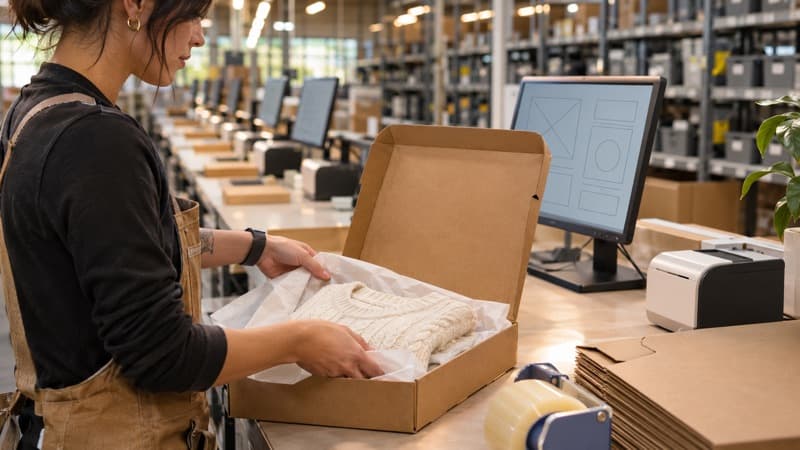
How a Shopify 3PL connection works: orders flowing to the warehouse, available inventory syncing back, tracking written to each order, and the SKU mapping and tests to run before go-live.
When a Shopify store hands its orders to a 3PL, the hard part is rarely the boxes. It's the data: orders have to reach the warehouse without anyone exporting a spreadsheet, inventory counts have to come back so the store doesn't sell what isn't there, and tracking has to land on the order so the customer gets the shipping email. This article walks through how a Shopify 3PL connection actually works, what to test before go-live, and where it usually breaks.
What a Shopify 3PL does
A Shopify 3PL is a third-party logistics provider that receives and stores your inventory, pulls in your Shopify orders automatically, picks and packs them, ships them, and writes tracking back to Shopify. Your store keeps selling; the warehouse handles everything from the shelf to the carrier.
The connection between the two systems is what makes that work without daily manual effort. It has three flows, and each one can fail on its own.
Flow 1: Orders from Shopify to the warehouse

When a customer checks out, the order needs to reach the warehouse with everything required to ship it correctly:
- SKU and quantity for every line, matching the SKUs set up at the warehouse exactly.
- Ship-to address and the shipping method the customer paid for.
- Order notes or gift messages, if you use them.
- Holds — orders flagged for fraud review, or that you want to edit, shouldn't be released to pick.
Decide early which orders the 3PL should receive. Common rules: only paid orders, only orders containing physical products, and nothing tagged for manual review. Pre-orders and partially fulfilled orders need an explicit rule too, or they tend to ship early or not at all.
Flow 2: Inventory from the warehouse back to Shopify
Shopify's inventory number is what the storefront sells against. If it doesn't reflect what's actually available at the warehouse, you oversell or show items as sold out while stock sits on the shelf.
Points to settle:
- Which number syncs — "available" (on hand minus what's already allocated to open orders) is safer than raw on-hand.
- How often — on each movement, or on a schedule.
- Which location in Shopify the warehouse stock maps to, especially if you also hold stock elsewhere.
- Bundles — if a bundle is built from component SKUs, the available bundle count should follow the components.
If you sell the same stock on several channels, the warehouse should hold it in one pool so each channel sees the same available count.
Flow 3: Tracking and fulfillment status back to Shopify
Once the parcel is labeled, the tracking number and carrier should be written back to the Shopify order, which marks it fulfilled and triggers Shopify's shipping notification. Check that:
- Split shipments write back one tracking number per package, not just the first.
- The carrier name comes through correctly so the tracking link works.
- Orders that ship from multiple locations don't get marked fully fulfilled too early.
Direct integration vs scheduled order feed
There are two common ways to connect:
| Direct integration | Scheduled feed | |
|---|---|---|
| How orders arrive | Pulled automatically through the platform connection | Exported on a schedule (file or API job) |
| Setup effort | Lower, if the 3PL supports it | More configuration and monitoring |
| Typical use | Shopify and major marketplaces | Platforms without a supported connection |
For Shopify, a direct connection is the norm. The same three flows apply on other storefronts — the guide on Ecwid and Squarespace 3PL Integration: Order Sync, Tracking Write-Back and Inventory Counts covers how they differ on those platforms.
SKU mapping: the step most launches get wrong
Most sync problems trace back to SKUs. Before go-live:
- Every Shopify variant has a unique SKU — blank or duplicate SKUs can't be matched.
- The warehouse item master uses the same SKU strings, character for character.
- Non-physical items (gift cards, digital products, shipping protection) are excluded from the feed.
- Bundles and kits are defined as either a pre-built SKU or a list of components, not both.
A pre-launch test checklist
Run a handful of real test orders through the full loop before switching live traffic:
- A single-item order and a multi-item order
- An order with a bundle
- An order that's cancelled after it's been sent to the warehouse
- An order with an address edit
- A partial shipment, to confirm two tracking numbers write back
Then compare Shopify's inventory against the warehouse count for a few SKUs after receiving and after shipping.
How IDCEA handles Shopify orders
IDCEA works as a Shopify 3PL for ecommerce fulfillment from partner warehouses in Southern California. Orders come in from Shopify and your marketplaces into one pooled inventory — by direct integration where the platform offers one, by scheduled feed where it doesn't, confirmed per channel before you commit. Each order is picked and verified by scan, packed, shipped on a rate-shopped label, and tracking is pushed back to your store so the buyer gets the update without you sending it. If you're still deciding whether to outsource at all, our broader piece on Shopify fulfillment for growing DTC stores covers that decision.